
SAP EWM (Extended Warehouse Management) is the module that plans, records and manages everything that happens inside a warehouse. In this post we cover what EWM is, how it can be deployed, what a modern warehouse looks like, and the processes EWM supports.
Video walkthrough
What is SAP EWM?
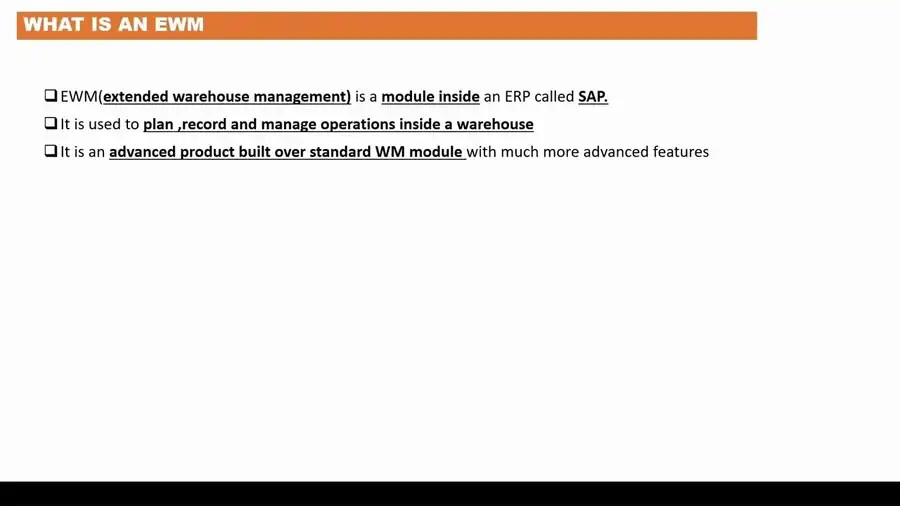
- EWM is a module inside SAP, the ERP system.
- It is used to plan, record and manage operations inside a warehouse.
- It is an advanced product built over the standard WM module, with many more features such as labor management, yard management, wave management and material flow control.
Deployment options: embedded, decentralized and cloud
| Option | How it runs | Typical fit |
|---|---|---|
| Embedded (on premise) | Offered from S/4HANA 1610 as an embedded application component, running in the same system as S/4HANA. | Low to medium warehouse complexity; simpler landscape and lower cost. |
| Decentralized (on premise) | EWM is deployed on a separate server and connected to S/4HANA through remote function calls (qRFC), with master data distributed from the ERP. | High-volume, business-critical warehouses that must keep running even if the ERP is down. |
| Cloud | From release 1811, warehouse management is available in the S/4HANA Cloud solution. | Standard processes, automatic upgrades, little customization. |
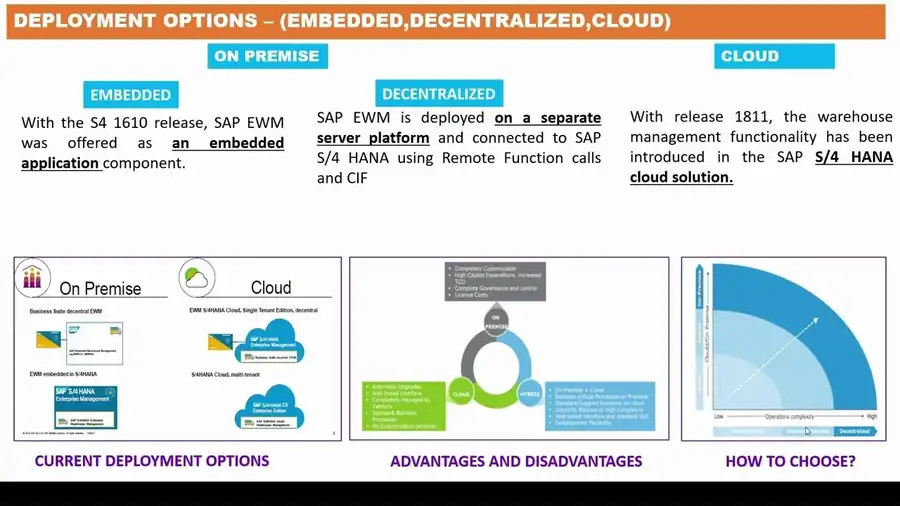
How to choose: as operational complexity grows (volume, automation, 24x7 needs), move from basic embedded to advanced embedded to decentralized. Cloud suits companies that want standard processes and minimal IT effort.
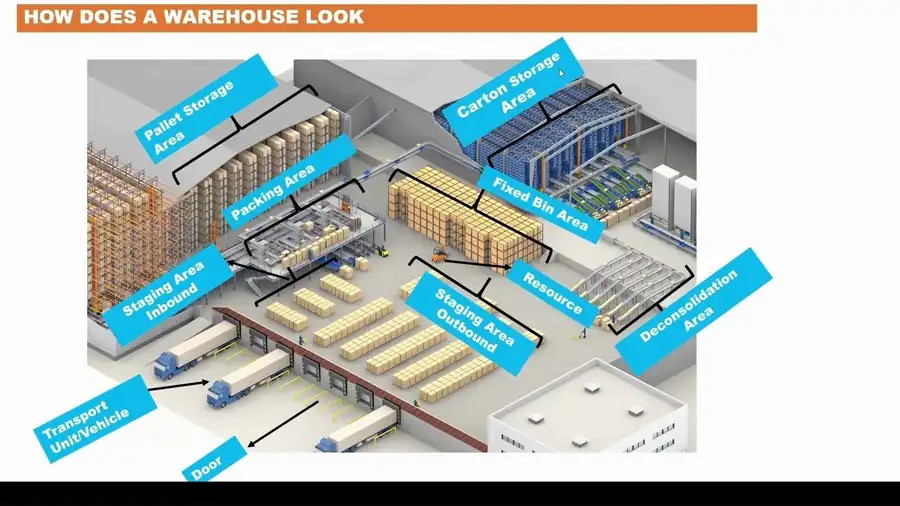
What does a warehouse look like?
A typical distribution warehouse has these physical areas. Each one becomes a storage type or area in EWM:
- Doors and transport units: where trucks dock to unload or load.
- Staging area (inbound): where received goods wait before putaway.
- Deconsolidation area: where mixed pallets are broken down by destination.
- Pallet storage area and carton storage area: high-bay racks for full pallets and shelving for cartons.
- Fixed bin area: bins assigned to specific products for picking.
- Packing area: where outbound goods are packed into shipping units.
- Staging area (outbound): where packed goods wait for loading.
- Resources: people and equipment such as forklifts.
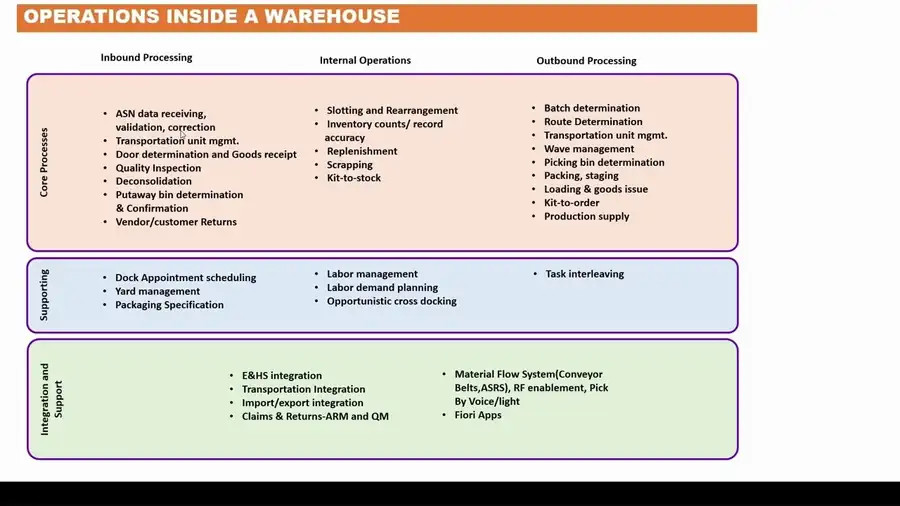
Operations inside a warehouse
| Inbound processing | Internal operations | Outbound processing | |
|---|---|---|---|
| Core | ASN receiving and validation, transportation unit management, door determination and goods receipt, quality inspection, deconsolidation, putaway bin determination and confirmation, vendor/customer returns | Slotting and rearrangement, physical inventory, replenishment, scrapping, kit-to-stock | Batch determination, route determination, wave management, picking bin determination, packing and staging, loading and goods issue, kit-to-order, production supply |
| Supporting | Dock appointment scheduling, yard management, packaging specification | Labor management, labor demand planning, opportunistic cross-docking | Task interleaving |
| Integration | EH&S, transportation (TM), import/export (GTS), claims and returns (ARM, QM), material flow systems (conveyors, ASRS), RF, pick-by-voice/light, Fiori apps | ||
Key takeaways
- EWM is the advanced successor to WM for running warehouse operations in SAP.
- Embedded EWM is the most common starting point on S/4HANA. Decentralized EWM suits large, critical warehouses.
- Every physical area of the warehouse is modelled in EWM, which is why org structure comes next.
Next in the series: EWM Org Structure, covering how plants, storage locations and warehouses are set up and linked.
← Previous: SAP EWM Series 1: How the Supply Chain Works in SAP ERP
Next → SAP EWM Series 3: EWM Org Structure – Plants, Storage Locations, Warehouses and Availability Groups
All parts in the SAP EWM series
- SAP EWM Series 1: How the Supply Chain Works in SAP ERP
- SAP EWM Series 2: EWM Introduction – Deployment Options, Warehouse Layout and Processes (you are here)
- SAP EWM Series 3: EWM Org Structure – Plants, Storage Locations, Warehouses and Availability Groups
- SAP EWM Series 4: ERP Delivery Types and Item Categories for EWM
- SAP EWM Series 5: EWM Document Types, Item Types and ERP Mapping
- SAP EWM Series 6: qRFC and Interface Settings for Embedded EWM


